Operations & Project Management Features — SmartMit

Complete Visibility From First Notice of Loss to Final Payment

Gain absolute control over your mitigation workflows. From dispatching crews to assembling final invoice packages, these tools ensure nothing falls through the cracks.

Project Management

Every mitigation project in one centralized record. See where every job stands without calling the office. • Intake: Capture new leads with detailed information, including customer contact, property address, loss type, and insurance details. • Project Hub: Centralized dashboard for all projects, offering quick status checks, assigned teams, and key details. • Triage & Assessment: Tools to document damage details, affected areas, and initial assessments (e.g., water category, damage class). • Estimating & Quoting: Generate detailed estimates and quotes for services, with customizable line items and project totals. • Project Lifecycle Tracking: Monitor project status from lead to completion, with defined stages and workflows.

Business Outcome

Reduce administrative overhead and eliminate workflow bottlenecks.

Project Management view 1Project Management view 2

Insurance Claims

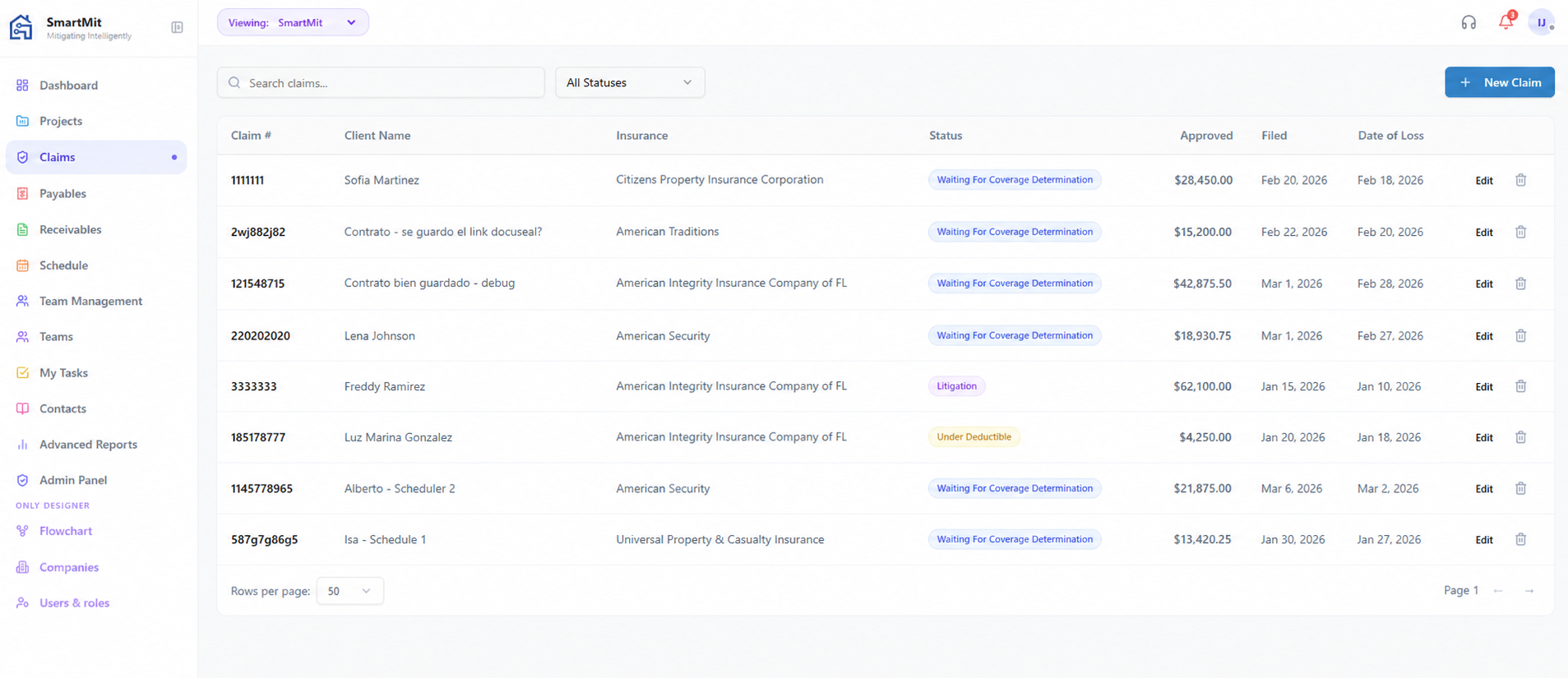
Centralize every claim detail. Log every carrier communication. When the adjuster calls, the answer is one click away. • Policy & Claim Tracking: Store and manage insurance policy numbers, claim numbers, and adjuster information. • Status Updates: Track claim status throughout the lifecycle (approved, denied, pending, etc.). • Automated Communication: (Potential integration) Streamlined communication with insurance adjusters via email.

Business Outcome

Never lose a status update or adjuster contact detail again.

Insurance Claims view 1

Schedule Management

Calendar and checklist views for service appointments and Drag to reschedule. • Calendar View: Visual overview of scheduled services, technician assignments, and project timelines. • Crew & Team Management: Assign teams or individual technicians to projects and schedules. • Resource Allocation: Optimize scheduling based on availability and service requirements. • Automated Notifications: (Potential integration) Alerts for new schedules, updates, or dispatch changes.

Business Outcome

Optimize field technician utilization and eliminate double-booking.

Schedule Management view 1

Equipment Calculator

SmartMit's Equipment Calculator turns IICRC S500 and S700 methodology into a few taps in the field, giving your technicians a defensible equipment count and placement plan before they unload the truck. It pulls the water category and damage class straight from the project file, so the numbers reflect the actual loss — not a guess. • Water and Fire modes • Per-room breakdown • Built-in placement guidance — IICRC-aligned setup • Tuned to your fleet

Business Outcome

Size jobs accurately to IICRC standards, protecting margins and reducing liability.

Equipment Calculator view 1

Task Tracking

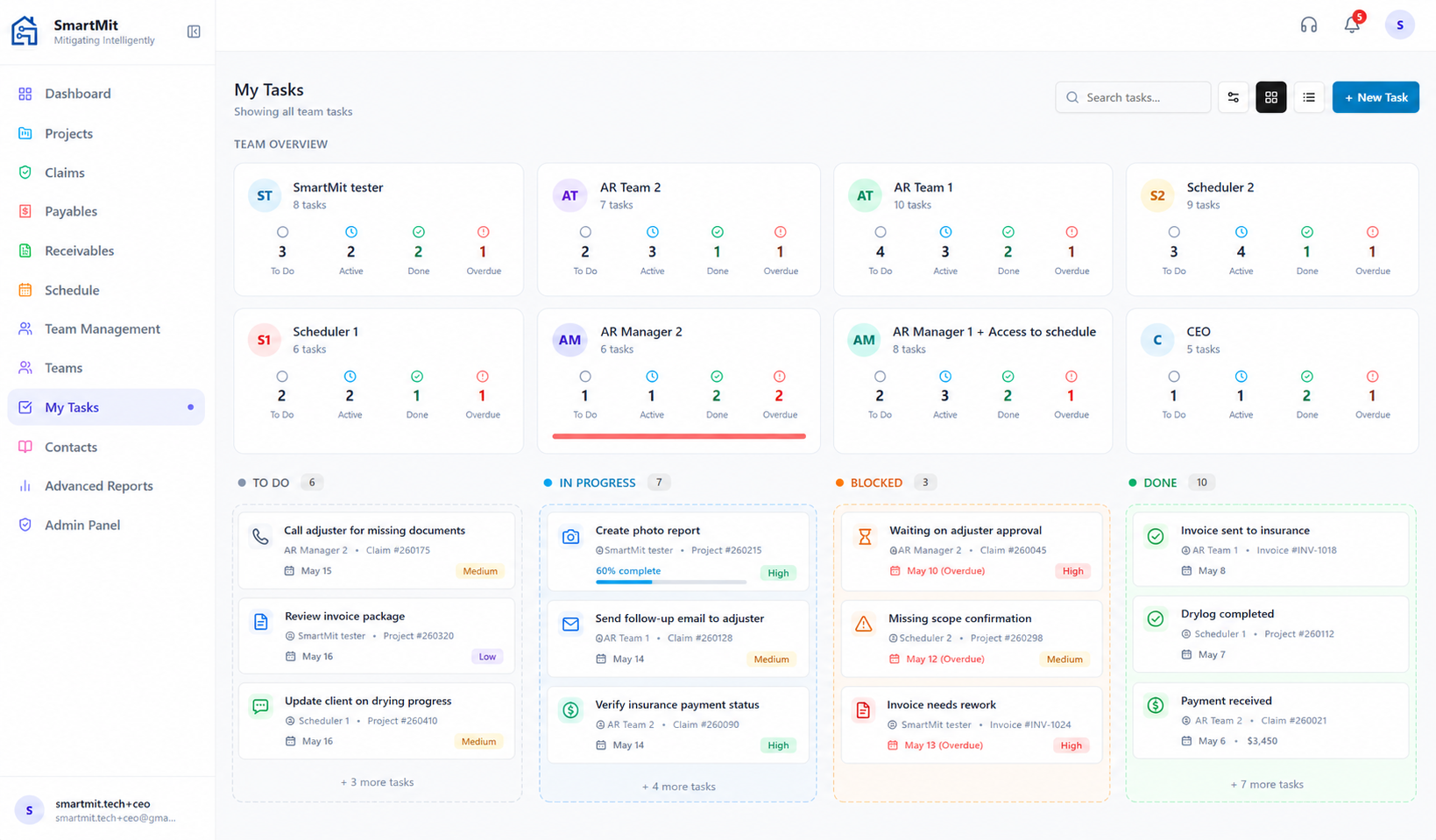
Break every project into actionable tasks. Assign to team members. • Kanban Board: For visual learners and managers, this board provides a drag-and-drop workflow (To Do → In Progress → Blocked → Done). It makes identifying bottlenecks—especially "Blocked" tasks—instantaneous. • Intelligent Prioritization: The module automatically categorizes tasks into Overdue, Due Today, and Upcoming. This helps team members manage time without feeling overwhelmed by an endless to-do list. • Communication & Accountability: Clear assignment tracking ensures everyone knows who owns which task. The visibility into "Created By" versus "Assigned To" builds accountability within the team.

Business Outcome

Ensure standard operating procedures are followed on every job.

Task Tracking view 1

Automated Email Follow-Ups

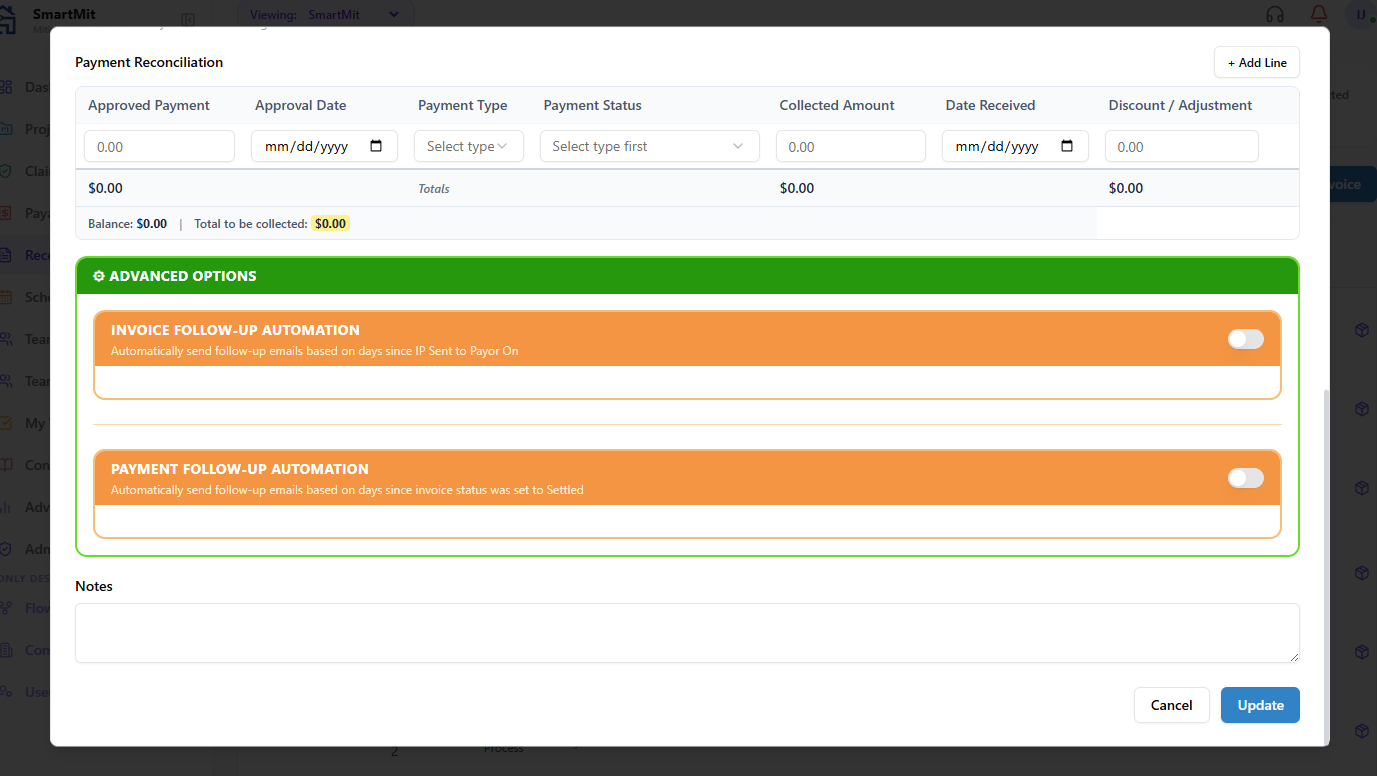
This is arguably the most powerful tool for improving cash flow. It doesn't just send emails; it continuously monitors every invoice against your defined business rules. • Multi-Stage Escalation: It supports four distinct follow-up "slots" (e.g., 5, 10, 15, and 20 days after an event), allowing you to escalate your tone from polite reminder to firm collections notice. • Conditional Intelligence (The "Logic" Layer): It is incredibly precise. You can configure it to only send a follow-up email if specific conditions are met. • Contextual Template Personalization: The system doesn't send generic templates. It uses a variable substitution engine that pulls live data directly from the invoice record—Client Name, Claim Number, Total Amount, and more—making every email feel personal and professional.

Business Outcome

Accelerate cash flow without manual AR chasing.

Automated Email Follow-Ups view 1

Invoice Package Assembly

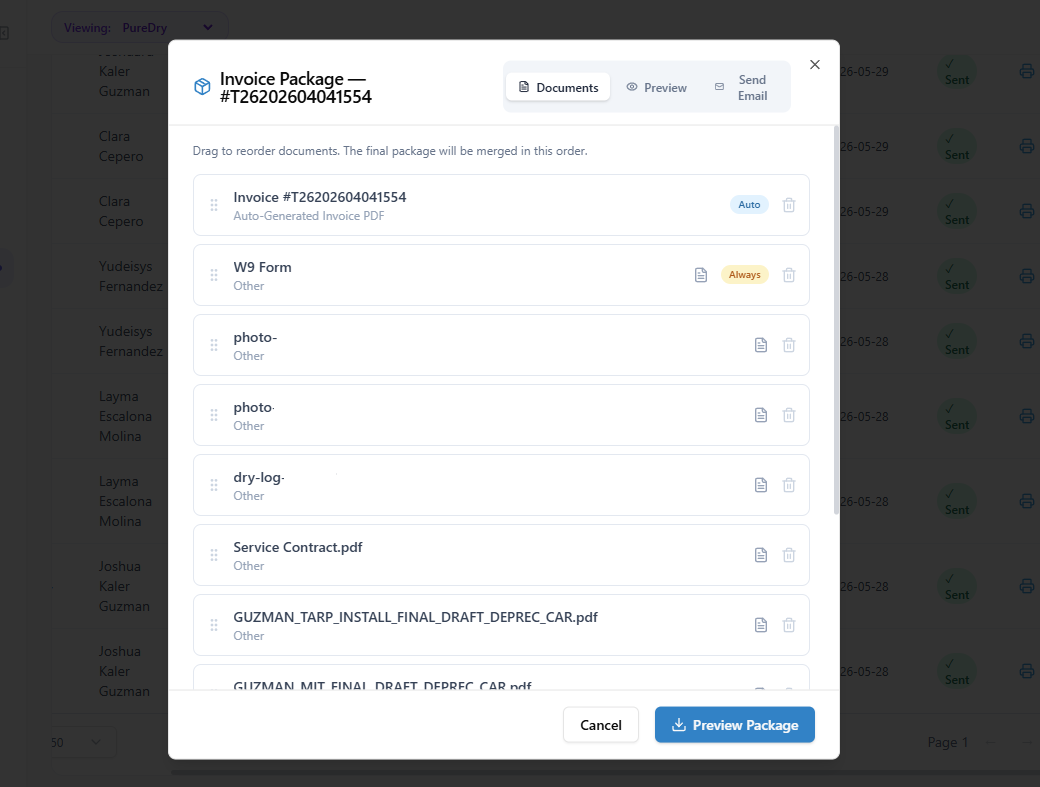
The "Smart" Professionalism Feature This isn't just a simple PDF generator; it’s an intelligent document assembly system. Create in clicks. Email directly. Track when it's opened. • Intelligent Merging: It automatically constructs a comprehensive professional package (Invoice + W9 + Project-specific documents) into a single, seamless PDF. • Dynamic Document Priority: You can define a custom "stacking order". • Smart Previews & Customization: Before sending, users can visually verify the order, drag-and-drop to reorder, add one-off files, and generate a live preview.

Business Outcome

Submit bulletproof packages that carriers approve faster.

Invoice Package Assembly view 1

Explore Other Capabilities

Ready to upgrade your mitigation workflows?

SmartMit Logo

The first flat-rate restoration contractor suite built specifically to document emergency water, mold, and fire jobs, organize physical dispatch crews, and track complex insurance payouts without unneeded per-user charges.

Owned and operated by Apextream Technologies LLC.
Optional AR Collections service provided by ASAP Smart Solutions LLC (Affiliate Entity).

Pricing & Info
Solutions
Features

© 2026 SmartMit. All rights reserved. Built by an IICRC WRT + ASD certified contractor.